Make Rail Deck feel like your railway.
Choose familiar names and pictures, keep favourite items close and arrange things in a way that makes sense to you. A little personal touch makes it easier to get back to the fun.
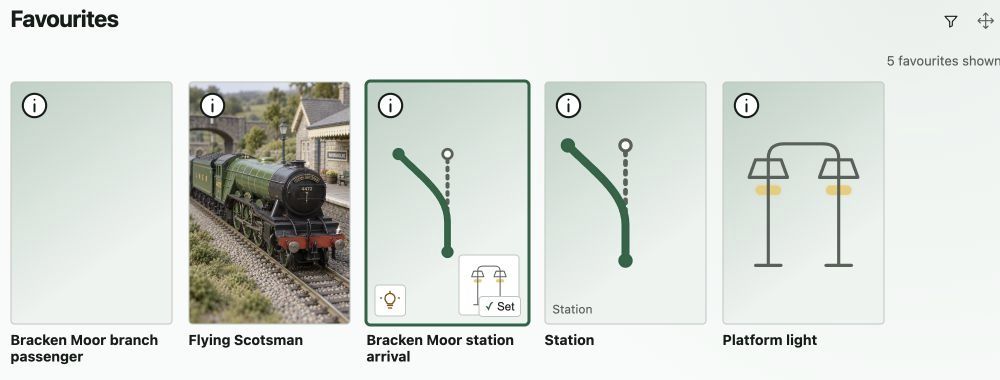
Favourite trains, routes and accessories can sit together in an order that suits you.
Step 1
Recognise it before you read it.
Use your own names and pictures for the things on your railway. A familiar photograph can make a locomotive, coach or saved train much easier to spot.
Choose a cover picture and keep the rest in its gallery. Arrange the pictures in the order you prefer.
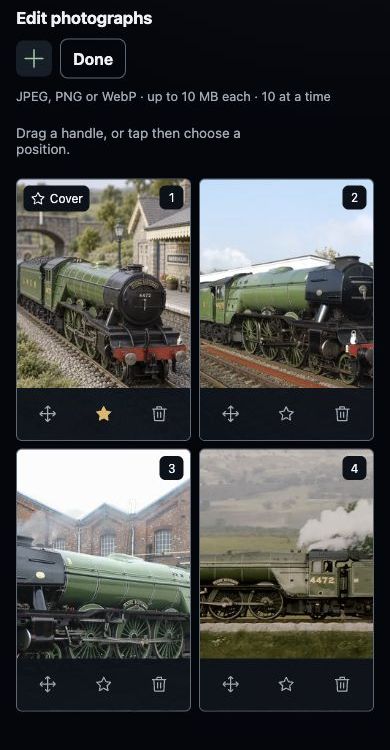
Choose a cover picture and arrange the rest in the order you prefer.
Step 2
Keep the things you enjoy close.
Use the heart action to add supported items to your favourites. Trains, locomotives, accessories and routes can sit together in one familiar collection.
Your favourites belong to you on the selected layout, so a regular operating session can start with the things you use most.
Favourite trains, routes and accessories can sit together in an order that suits you.
Step 3
Give everything a comfortable place.
Arrange your favourites in an order that suits the way you use the railway. Drag an item, or use the move choices to put it in a new position.
A favourite route can sit beside its train, with the lighting you like close by. Keep the arrangement useful for you.
Favourite trains, routes and accessories can sit together in an order that suits you.
Step 4
Choose a view that feels comfortable.
Rail Deck includes appearance choices and Light, Dark and System colour modes. Pick the combination you prefer in Rail Deck’s Appearance settings.
Keep saved names, photographs and train formations ready for next time. You can begin simply and personalise more as you go.
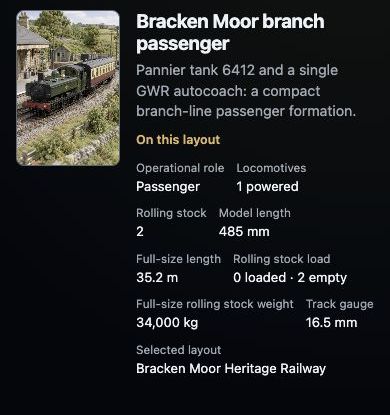
A named train keeps its vehicles and layout details together.